If you’ve ever wondered, “Why isn’t my website showing up on Google?” — you’re definitely not alone. Whether you’re building a small business, launching a side hustle, or simply creating a personal blog, getting your website to rank in search results can feel like trying to solve a puzzle without the picture on the box.
The good news? SEO (Search Engine Optimization) doesn’t have to be complicated. In fact, when you break it down into simple, actionable steps, it becomes something you can tackle bit by bit — even if you’re not a tech whiz.
Let’s walk through 10 practical, real-world SEO tips that can help your website rise in the rankings. No fluff, no jargon. Just stuff that works.
 1. Start With Solid Keywords
Before you even think about writing content, you need to understand what your potential visitors are typing into search engines. These are your keywords, and they’re the foundation of any strong SEO strategy.
Don’t just guess what people might be searching. Use tools like:
- Ubersuggest: Great for finding keyword ideas and seeing what your competitors are ranking for.
- Google Trends: Helps you discover trending topics and seasonal spikes.
- Answer the Public: A goldmine for common questions people ask.
Start by choosing one or two specific keywords per page. If you overload your content with dozens of keywords, it not only becomes unreadable but also confuses search engines.
Example: If you own a bakery in Austin, the keyword “best birthday cakes in Austin” is much more targeted (and effective) than just “cakes.”
2. Write Like A Human, Not A Robot
One of the biggest myths about SEO is that you need to fill your pages with keywords. That may have worked a long time ago in the early 2000s, but these days it will hurt more than help.
Google’s algorithms now prioritize content that is helpful, authentic, and easy to read. That means your content should sound like a conversation — the kind you’d have with a customer in person.
Avoid keyword stuffing and focus instead on providing value. Answer questions, solve problems, and speak in a clear, approachable tone. Remember, you’re writing for people first, and search engines second.
Tip: Read your work out loud. If it sounds odd or unnatural, rewrite it.
3. Title Tags & Meta Descriptions: Your First Impression In Google
Think of your title tag as your headline on your page — it’s what people see in Google search results. Your meta description is the short sentence that follows right underneath it. Both play a big role in whether someone clicks on your link or mouses over it.
This is how to leverage them for you:
- Use your target keyword.
- Keep title tags brief and under 60 characters.
- Keep meta descriptions brief and approximately 155 characters.
- Make them compelling, brief, and actionable.
Example:
- Title: Austin Custom Birthday Cakes – Order Online Now
- Meta Description: Austin birthday cake? We custom-bake for any occasion. Quick delivery. Made locally with fresh ingredients.
This is your site’s “elevator pitch” — don’t waste it.
4. Mobile-Friendly Is Non-Negotiable
More than half of all web traffic comes from mobile devices. If your site looks weird or is hard to navigate on a phone, people won’t stick around — and Google knows that.
To check how your site performs on mobile, use Google’s Mobile-Friendly Test. It’ll tell you whether your site works well on smartphones and give you specific fixes if it doesn’t.
Make sure your fonts are legible, buttons are easy to tap, and content isn’t cut off or crammed together. Mobile users expect a smooth experience — and so does Google.
5. Speed It Up (No One Likes A Slow Website)
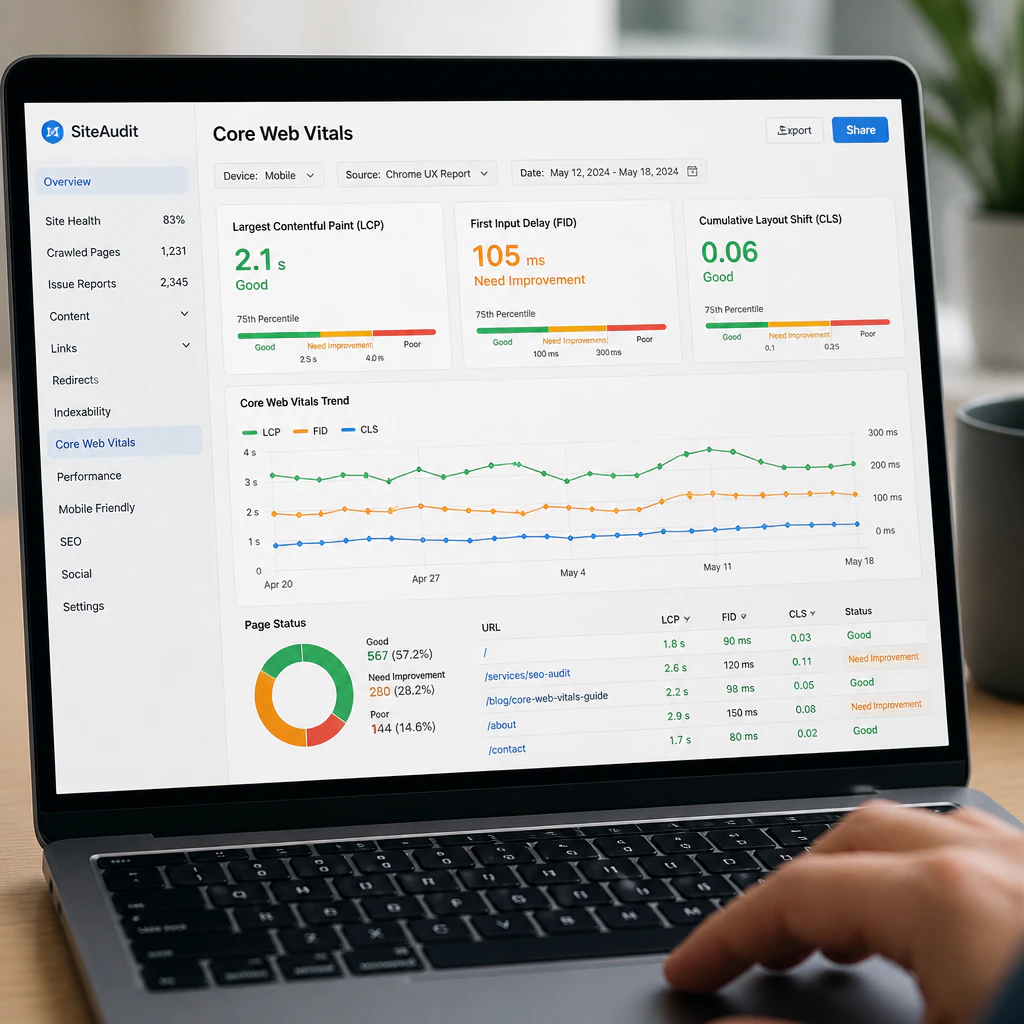
Website speed is one of the biggest factors in both user experience and SEO rankings. A slow website can turn visitors away before your page even loads.
Here’s how to improve your site’s speed:
- Compress large images before uploading them.
- Minimize the number of plugins (especially on platforms like WordPress).
- Use browser caching and lazy loading for images.
- Consider using a Content Delivery Network (CDN) to serve your content faster.
Use PageSpeed Insights to identify what’s dragging your site down and how to fix it.
A fast website doesn’t just improve your SEO — it makes your visitors happier too.
6. Use Headers To Keep Content Organized
Headers aren’t just there to make your content look good. They help Google understand the structure of your page.
Here’s how headers should be used:
- H1: Your main headline (only one per page).
- H2: Section headings.
- H3: Subsections under each H2, when needed.
Using headers properly makes your content easier to scan, which is how most people read online. Plus, it gives you more opportunities to include your keywords naturally.
Tip: Think of headers like chapters in a book. They guide the reader and give shape to your story.
7. Link Like You Mean It
Links act like votes of confidence for both users and search engines. The right links help build trust and improve your authority online.
There are two types of links you should include:
- Internal Links: These point to other pages on your website. For example, linking from your blog to your product or contact pages.
- External Links: These point to reputable sites outside your own. Think of government resources, educational institutions, or industry leaders.
Just make sure your links are relevant and enhance the user experience. Don’t spam your content with links for the sake of it — Google sees through that.
8. Add Alt Text To Images (It Helps More Than You Think)
Alt text is a simple description you add to images on your website. It’s essential for accessibility (so screen readers can describe images to visually impaired users), but it also helps with SEO.
When you add accurate alt text, it gives Google more information about your content. That’s especially helpful for getting your images to show up in Google Image Search.
Instead of something generic like:
<img src=”cake.jpg” alt=”image123″>
Try something specific and descriptive:
<img src=”birthday-cake.jpg” alt=”Custom chocolate birthday cake with sprinkles from Austin bakery”>
This small step can bring in unexpected traffic, especially if you sell visual products like food, clothing, or art.
9. Start A Blog And Keep It Fresh
Many business owners think blogging is unnecessary, but a regularly updated blog can do wonders for your SEO.
Blog posts give you more opportunities to rank for specific keywords, answer customer questions, and provide helpful content. They also show Google that your site is active and relevant.
Blogging tips:
- Post at least once or twice per month.
- Focus each post on one main topic or keyword.
- Write in a casual, approachable tone.
- Answer common customer questions or share how-to guides.
Examples of great blog topics:
- “How to Choose the Right Wedding Cake Size”
- “5 Things to Look for in a Local Dog Groomer”
- “The Best Yoga Poses for Beginners at Home”
By creating content that your audience actually wants to read, you’re also creating content that Google wants to show.
10. Track What’s Working — And Adjust As You Go
The only way to know if your SEO efforts are paying off is to track your progress.
Two essential (and free) tools to help you do that:
- Google Analytics: See how many people visit your site, where they’re coming from, and what pages they’re spending time on.
- Google Search Console: Find out what keywords your site is ranking for, what pages are being indexed, and any technical issues you need to fix.
Look for patterns. Which pages get the most traffic? Which blog posts are ranking? Use that data to double down on what’s working — and improve or remove what’s not.
SEO isn’t a one-time task — it’s an ongoing process. But tracking your data makes it a lot easier to make smart decisions.
 SEO Is Just Good Communication
At its core, SEO is about making sure the right people find the right information at the right time.
It’s not about gaming the system or chasing algorithms. It’s about creating a website that is clear, helpful, and genuinely useful. One that serves your audience well.
When you think of SEO as a way to better connect with your customers, instead of a confusing, behind-the-scenes tactic, it becomes a lot less intimidating.
Stick to the basics. Stay consistent. And keep your audience’s needs front and center.